Screenshots
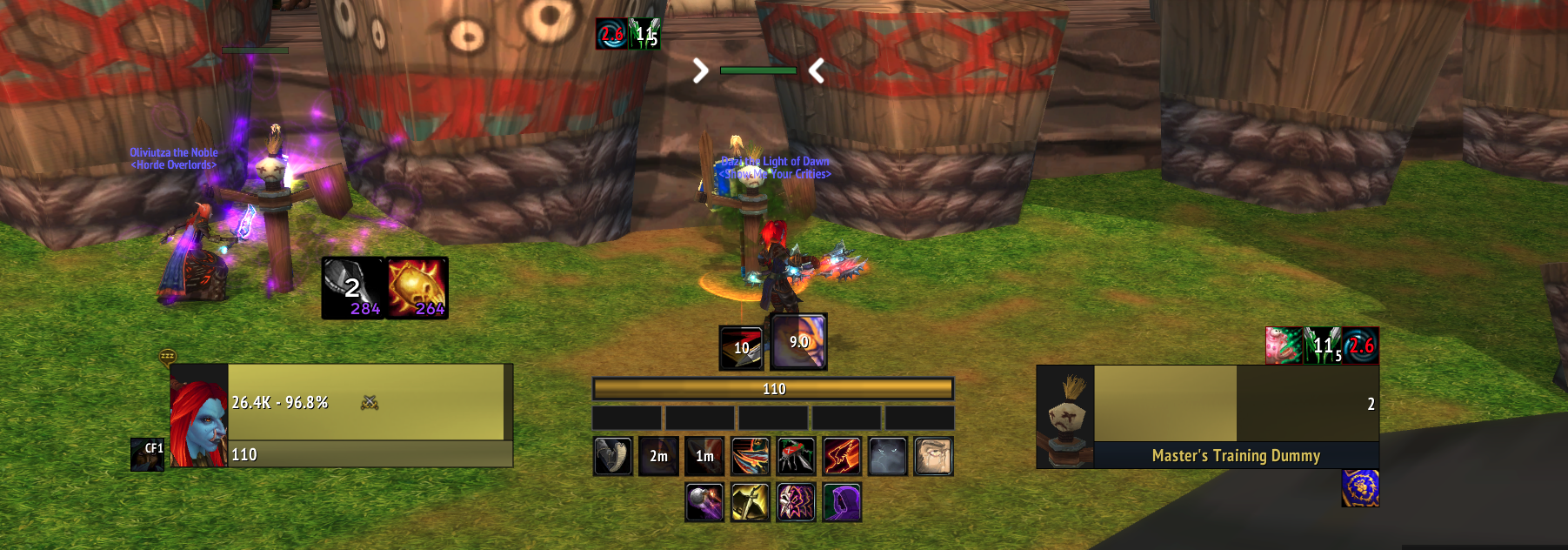
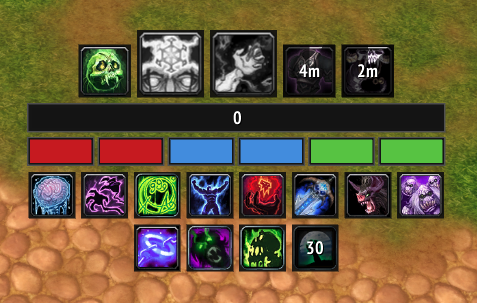
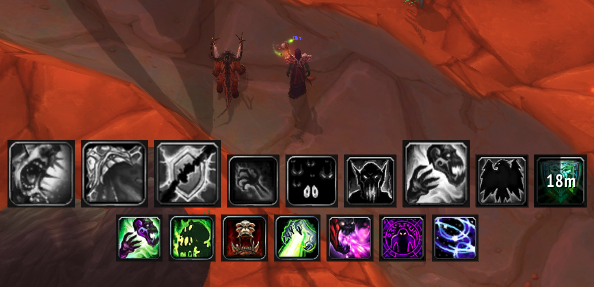
A modular class HUD for WotLK. Procs, DoTs, cooldowns and resources in one compact cluster — one shared engine, a config per class.
Tracker puts the handful of things you actually react to during a fight near the center of your screen, then gets out of the way when nothing is happening. It is built as one shared engine plus a small config per class, so it stays fast, clean and easy to extend.
Every spell is filtered through your spellbook. Talents you never specced simply never appear, and the display survives a respec.
DoTs and debuffs show on the target with a live clock sweep. Player-only tracking never mistakes another caster's debuff or Rupture for yours, and cross-class buffs like Hysteria appear on every tracker.
Maintained effects stay on screen and turn grey while missing, so you can see at a glance what needs refreshing.
Cooldowns light up the moment they come back up — a clean glow, with no flashing icons.
Rage, mana, energy and runic power, plus combo points and color-coded Death Knight runes.
Unlock, drag, lock for click-through, and scale from 0.5 to 2.0. Position and scale are saved per character.
World of Warcraft/Interface/AddOns/./reload, then log in./tracker unlock to drag the HUD, then /tracker lock to lock it in place.| Command | What it does |
|---|---|
/tracker unlock | Unlock and drag the HUD |
/tracker lock | Lock in place, enable click-through |
/tracker reset | Snap back to default position |
/tracker scale 1.2 | Resize the HUD (0.5 to 2.0) |
/tracker rebuild | Rebuild after a talent or spec change |
/tracker | Show all commands |